
Trial before you subscribe Firestick and Smart TV ready Live TV and VOD check

Yeah IPTV Free Trial Test live TV, VOD, and setup on your own device

Start from $2.99 and credited when you upgrade

Use the Yeah IPTV Free Trial to check IPTV channels, VOD, player setup, and device compatibility before choosing a full IPTV subscription.

Trial access for real viewing Check Firestick or Smart TV Upgrade only if it fits
Free IPTV Trial

What to test with the Yeah IPTV Free Trial

A good IPTV trial should answer simple questions: does the channel list make sense, does VOD feel easy to browse, and does your device handle the player well?

Live IPTV channel check

Browse live IPTV channels, sports, news, and entertainment categories so you know what daily viewing feels like.

VOD browsing that feels familiar

Open movies and series sections, check navigation, and see whether the IPTV VOD layout fits your habits.

Device test on your own screen

Try IPTV for Firestick, Smart TV, Android TV, Apple TV, mobile, tablet, or PC when supported by your setup.

Player details without guesswork

Use Smart IPTV, TiviMate, IPTV Smarters Pro, M3U, or Xtream Codes only when those details are supplied for the trial.

How the IPTV trial works from request to upgrade

Start with the trial, add the access details to a compatible IPTV player, then decide from real viewing instead of a sales promise.

1

Start the IPTV trial

Choose the trial option and complete the activation or checkout step shown on the page.

2

Load your access details

After processing, enter the supplied details in Smart IPTV, TiviMate, IPTV Smarters Pro, M3U, or Xtream Codes when supported.

3

Upgrade only when it fits

Check live channels, VOD, app behaviour, and device support before moving to a full IPTV subscription.

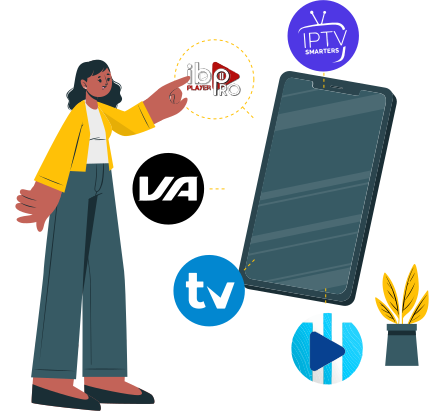
Yeah IPTV Free Trial setup steps from request to upgrade
Yeah IPTV Free Trial compatible IPTV player setup

Test your IPTV player before you subscribe

The trial helps you confirm the IPTV player, access format, and device combination that actually works for your screen.

Smart IPTV for supported Smart TV activation
TiviMate for Firestick, Android TV, and TV boxes
IPTV Smarters Pro for mobile, tablet, TV, and desktop
M3U or Xtream Codes when your trial access includes them

Trial access, clear checkout, and an easy upgrade path

Review the trial terms before continuing, test with the prepared access details, and compare paid plans only after the service feels right.

Trial details shown before you continue
Access details prepared after request processing
Upgrade path to a full IPTV subscription
Support for IPTV player, app, and device setup
Yeah IPTV Free Trial access details and upgrade path
Yeah IPTV trial answers

Yeah IPTV Free Trial FAQ for setup, devices, and upgrades

What is the Yeah IPTV Free Trial?

+

The Yeah IPTV Free Trial lets you test IPTV channels, VOD, player setup, and device compatibility before choosing a paid IPTV subscription.

Trial purpose

Use the trial to see whether the channel categories, app navigation, and player format feel right on your own screen.

What to check

Check live TV, VOD browsing, setup steps, and device behaviour before you compare longer plans.

How do I start a Free IPTV Trial?

+

Choose the trial option, complete any required activation or checkout step, and wait for access details to be prepared.

Activation steps

For device instructions, use the Setup IPTV Guide Installation before entering details in your IPTV player.

Setup guide

Do not assume instant activation unless the page states it; processing and setup details can vary by request.

What can I watch during the IPTV trial?

+

The IPTV trial can include live channels, sports, movies, series, and IPTV VOD when those categories are part of the current trial access.

Content preview

Use the trial to judge category order, search, playback behaviour, and whether the service matches your normal viewing routine.

Quality note

Picture quality depends on source quality, device performance, app stability, and internet connection.

Can I test IPTV on Firestick, Smart TV, Android TV, or Apple TV?

+

Yes, you can test supported devices when a compatible IPTV player is available.

Player options

Smart IPTV, TiviMate, and IPTV Smarters Pro are common player choices when they accept the trial format.

M3U and Xtream Codes

Use M3U IPTV or Xtream Codes IPTV only if those details are provided with your trial.

Can I upgrade after the trial or become an IPTV reseller?

+

Yes, if the trial works for your device and viewing needs, compare plans and move to a paid IPTV subscription. For business access, visit Become an IPTV reseller.

Upgrade path

Keep the same player and device that worked during the trial so the paid setup feels familiar.

Legal and VPN note

IPTV technology itself can be legal, but legality depends on content rights, provider licensing, and local laws. A VPN is optional and does not make IPTV legal.

Try IPTV Before You Buy

Ready to Experience Premium IPTV Trial?

Join thousands of satisfied viewers. Start your $2.99 trial today — 100% refundable with any plan.